Open alpha · any GM can apply

The virtual tabletop you host yourself.

Castle VTT is a desktop app for the GM. Click “Go online,” send a link, and your players join free in any browser. Built for Pathfinder 2e Remaster and D&D 5e, with fog of war, dynamic lighting and keyboard-first combat.

  • Confirm your email, get your key
  • Alpha keys include lifetime access
  • Players never pay
Captured in the app: token torchlight and fog of war on one of our own maps.
  • Players pay nothingNo account with us, no seat limit
  • No port forwardingOne-click “Go online”
  • Your machine, your dataCampaigns are files you own
  • Windows · macOS · LinuxOne key covers all three

How it works

From application to game night in three steps.

  1. 1

    Apply and confirm

    Fill in the short form below and confirm your email. Your alpha key arrives in your inbox.

  2. 2

    Install and activate once

    One desktop app bundles the server. No Docker. Activation happens once, and nothing phones home during play.

  3. 3

    Go online, share the link

    Click “Go online” and send the invite link. Players open it in a browser and sign in on your server.

What’s in the box

Lighting, rules and voice built in, not bolted on.

Light the torches. Fog the halls.

Dynamic lighting with walls, windows and doors, including locked and secret ones. Every token sees with its own senses, such as darkvision and tremorsense. Fog of war is tracked per player and remembers what the party has explored.

  • Token dispositions: friendly, neutral, hostile, secret
  • Map notes and pins, including GM-only pins
  • A tile layer for decorations
Player view: fog of war lifts as you walk

Conditions that change the math.

Pathfinder 2e Remaster and D&D 5e in the same app. You get the three-action economy, multiple attack penalty, degrees of success, and conditions that actually modify rolls. On the 5e side: true multiclassing, Pact Magic, concentration and hit dice. Dice are rolled on the server.

  • Guided character builder, levels 1–20
  • Attack, cast and rest straight from the sheet
  • Old-School Essentials and a generic mode too
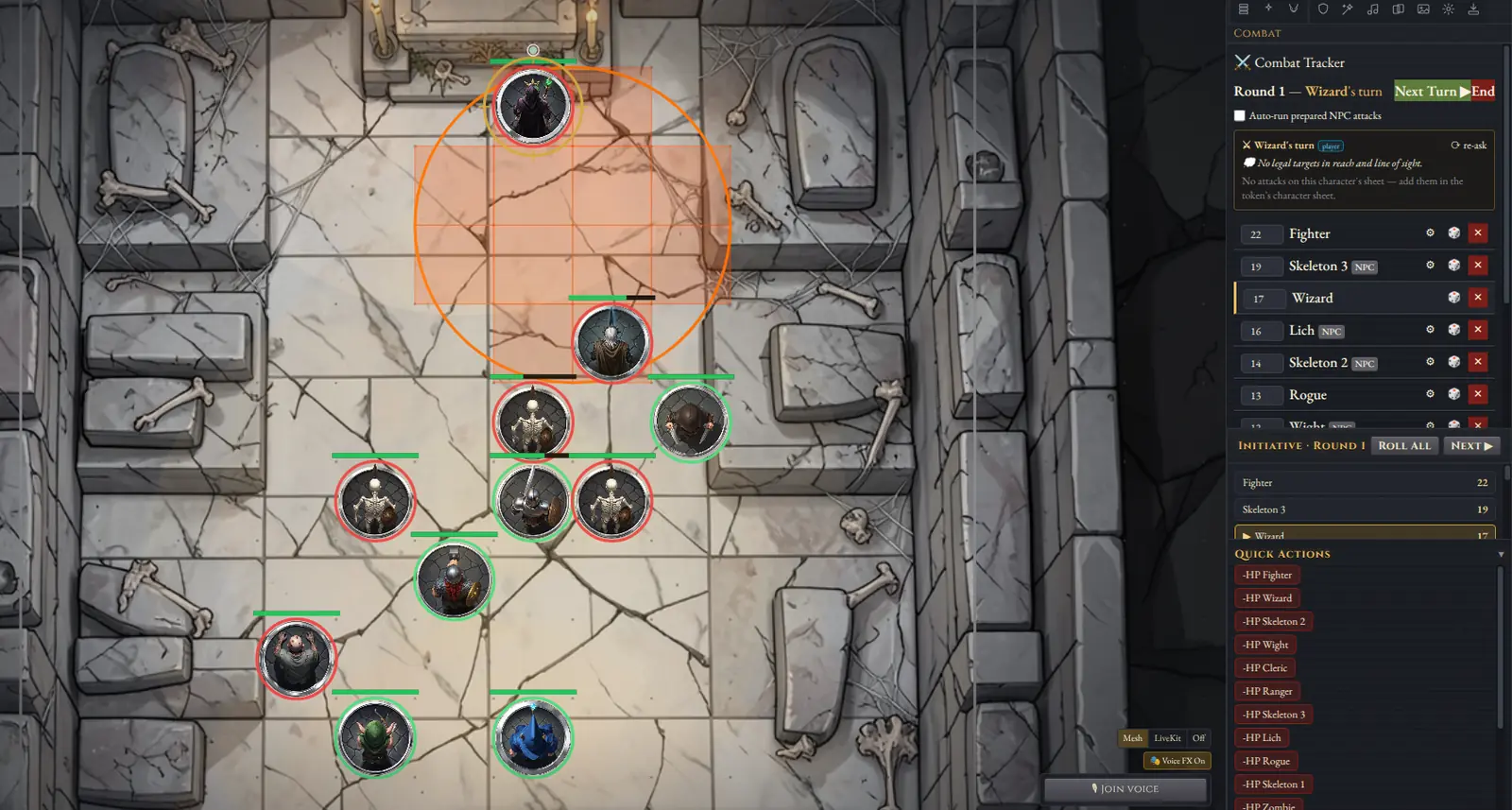
Castle VTT combat in a crypt: the tracker shows round 1, the Wizard’s turn and the initiative order, while a fireball template covers a group of skeletons

Your table talks, and the goblin talks back.

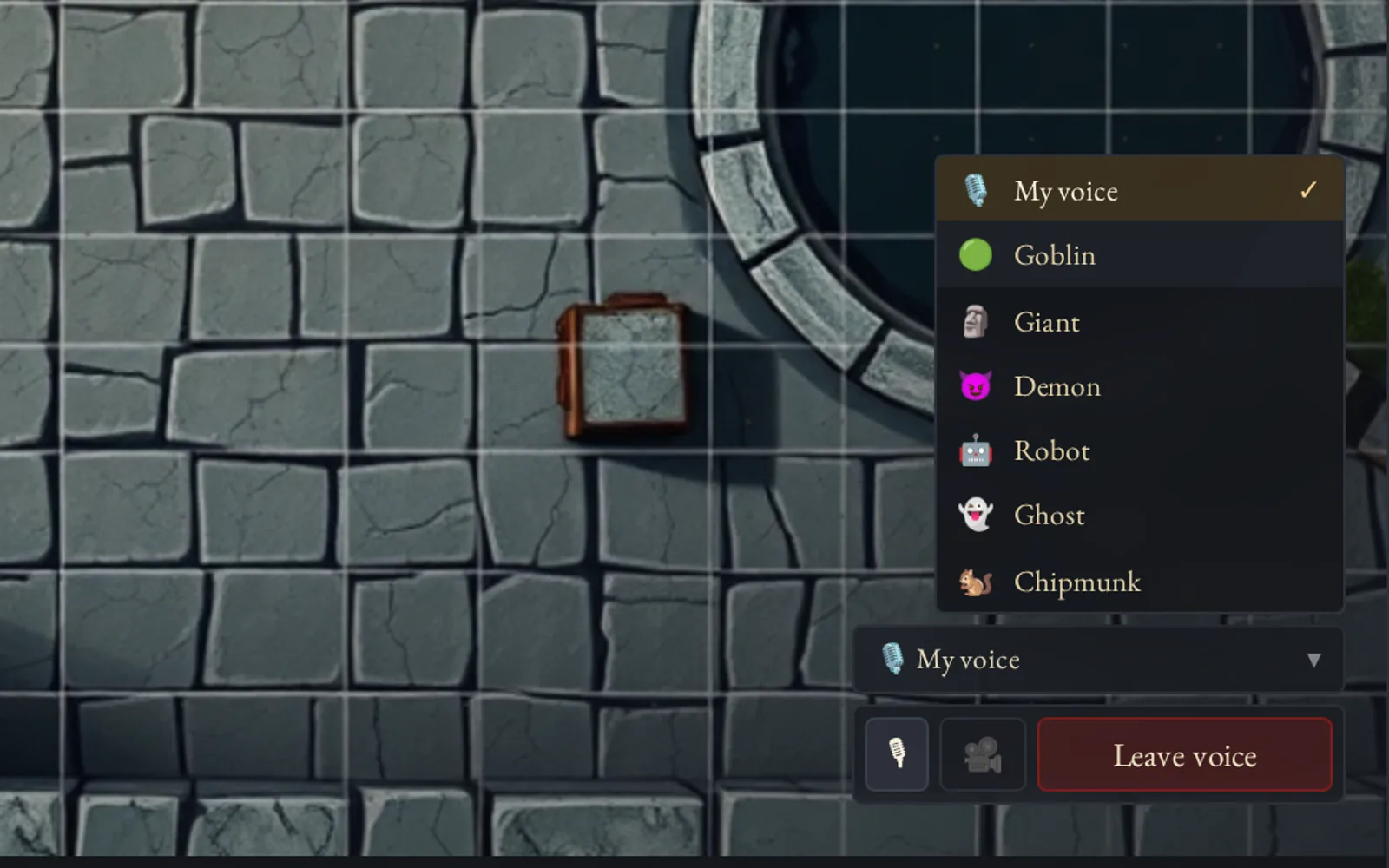
Peer-to-peer voice and opt-in video run inside the app, with built-in voice changers for your NPCs.

  • Ambient audio layers and a soundboard
  • Journals with per-player visibility
  • Card decks, roll tables and macros
Castle VTT voice controls with the character voice picker open

Keyboard-first combat

Attack, target and move from the keyboard.

Select a token, press a number to pick an attack, Tab to the target, Space to confirm. Every shortcut can be rebound under Help → Customize, and conflicts are flagged.

123…0Quick actions for the selected token: favorites, attacks, ready spells, consumables
Tab⇧ TabCycle targets
SpaceConfirm (or Enter). Esc cancels
←↑↓→Nudge the token one cell
⇧+1Run your macro hotbar
?F1Help. Rebind anything under Customize
Select, attack, Tab, Space — then Next Turn
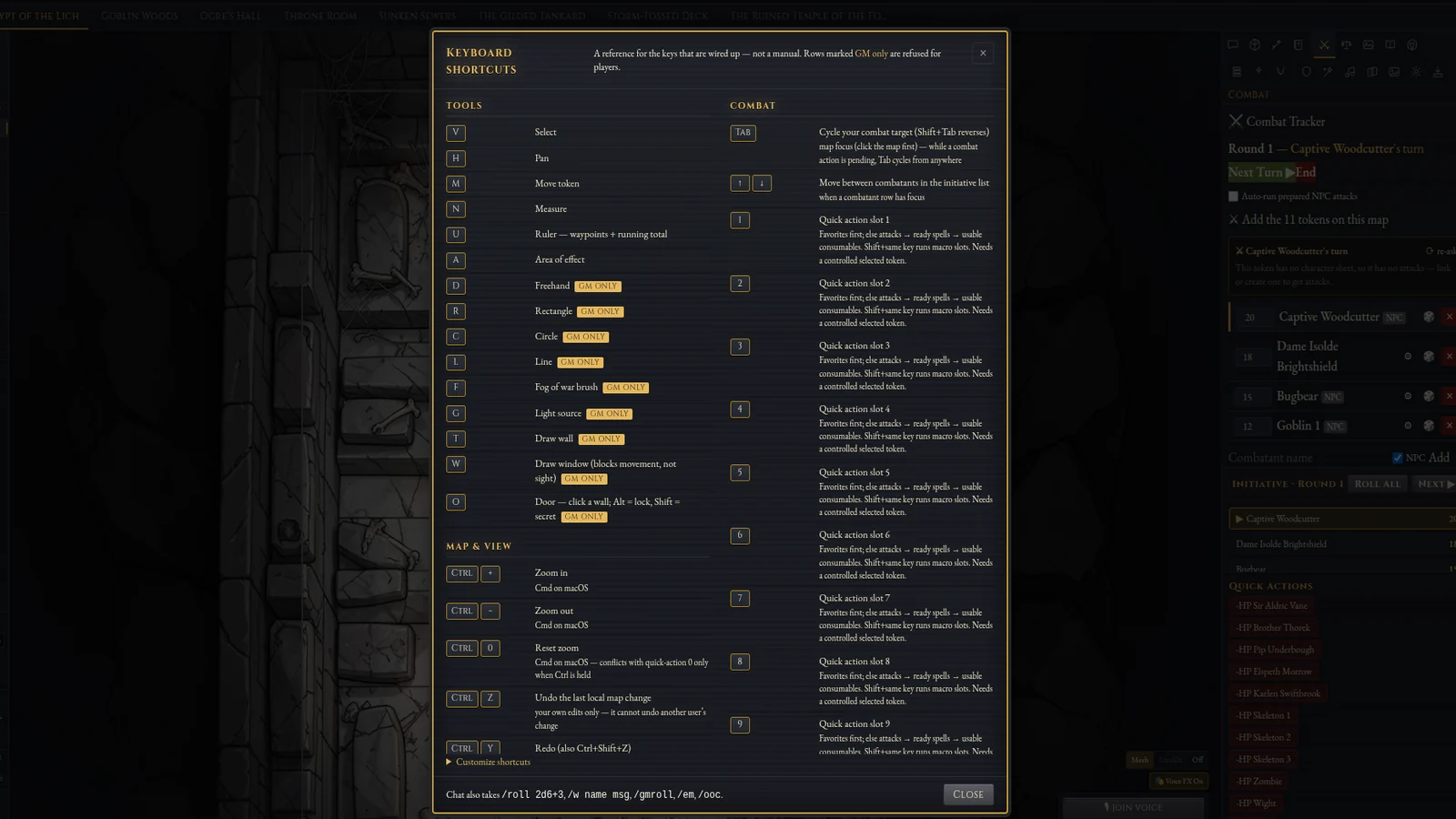
Castle VTT keyboard shortcuts help: tools, map and view, combat keys, and a Customize shortcuts link
Every shortcut can be rebound under Customize

See it in combat

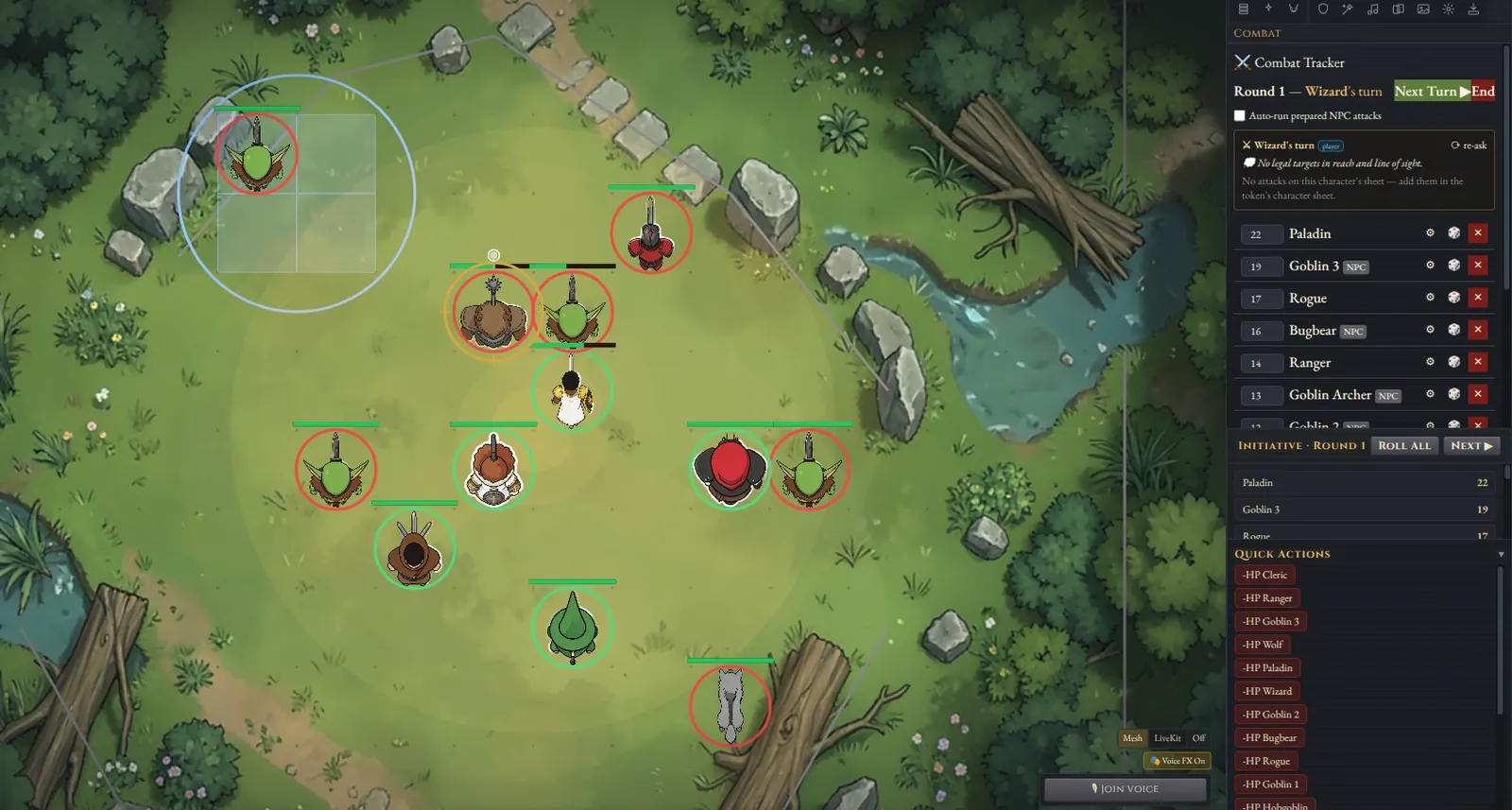
A goblin ambush in a forest clearing in Castle VTT, with the combat tracker, initiative and quick actions beside the map
Goblin ambush in a forest clearing
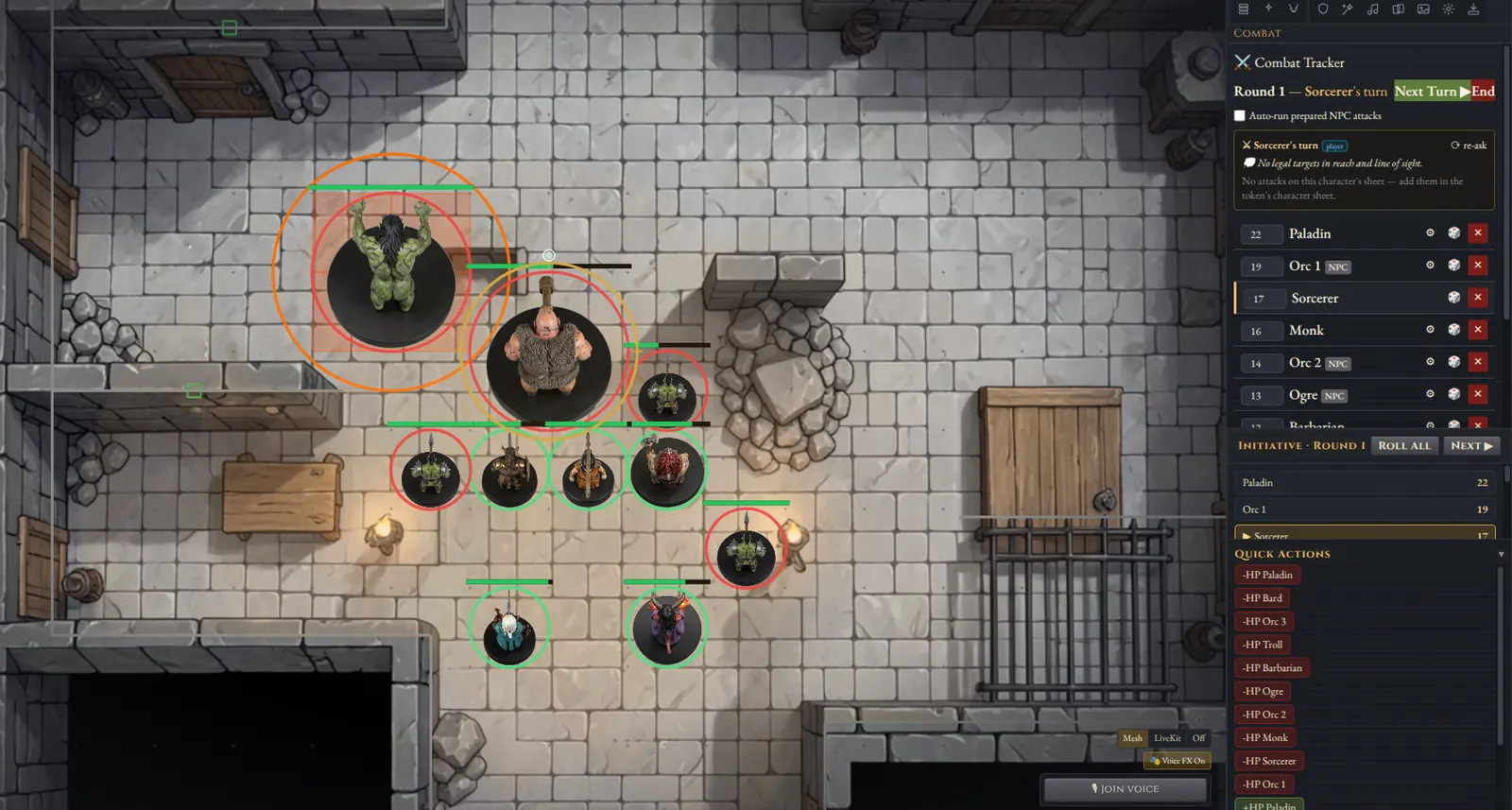
An ogre, a troll and orcs fighting the party in a dungeon hall in Castle VTT, with the combat tracker on the Sorcerer’s turn
Ogre and troll in a dungeon hall

Templates and measure

Drop a circle template — covered cells light up
Measure paths with a multi-waypoint ruler

Combat VFX

Effects that play on the map.

Procedural combat VFX just landed on the alpha build: crescent melee slashes, ranged strikes as line-beam strokes, fire burst, cone, line, and heal pulse. The clip runs through all eight.

We plan to improve readability (especially melee on lit maps) and add more attack and spell effect variants over time.

All eight combat VFX on the crypt map

And the rest

Everything else a GM reaches for.

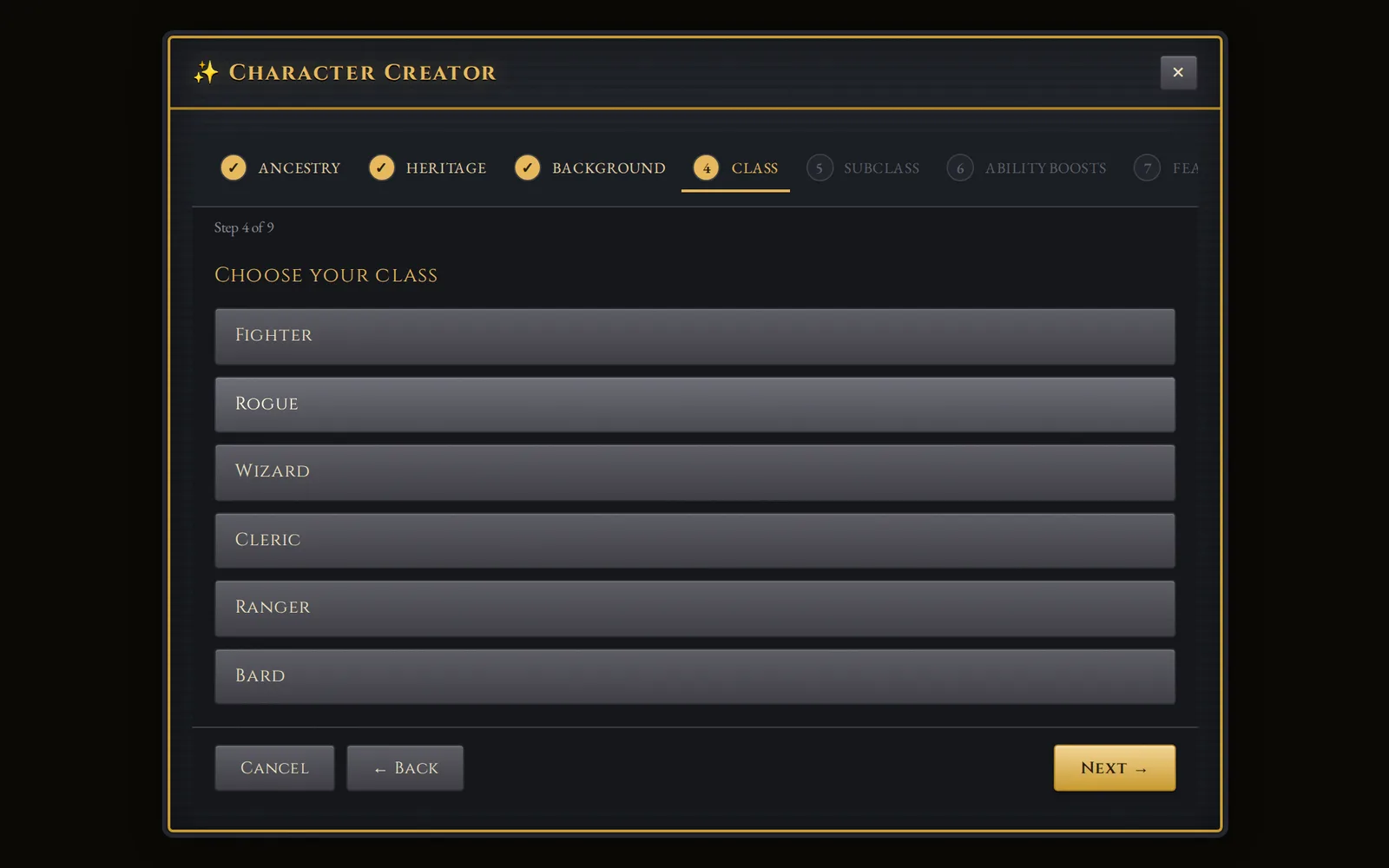
Character builder choosing a class

Character builder

Guided creation for PF2e and 5e, built from your compendium, with levels 1–20 tracked.

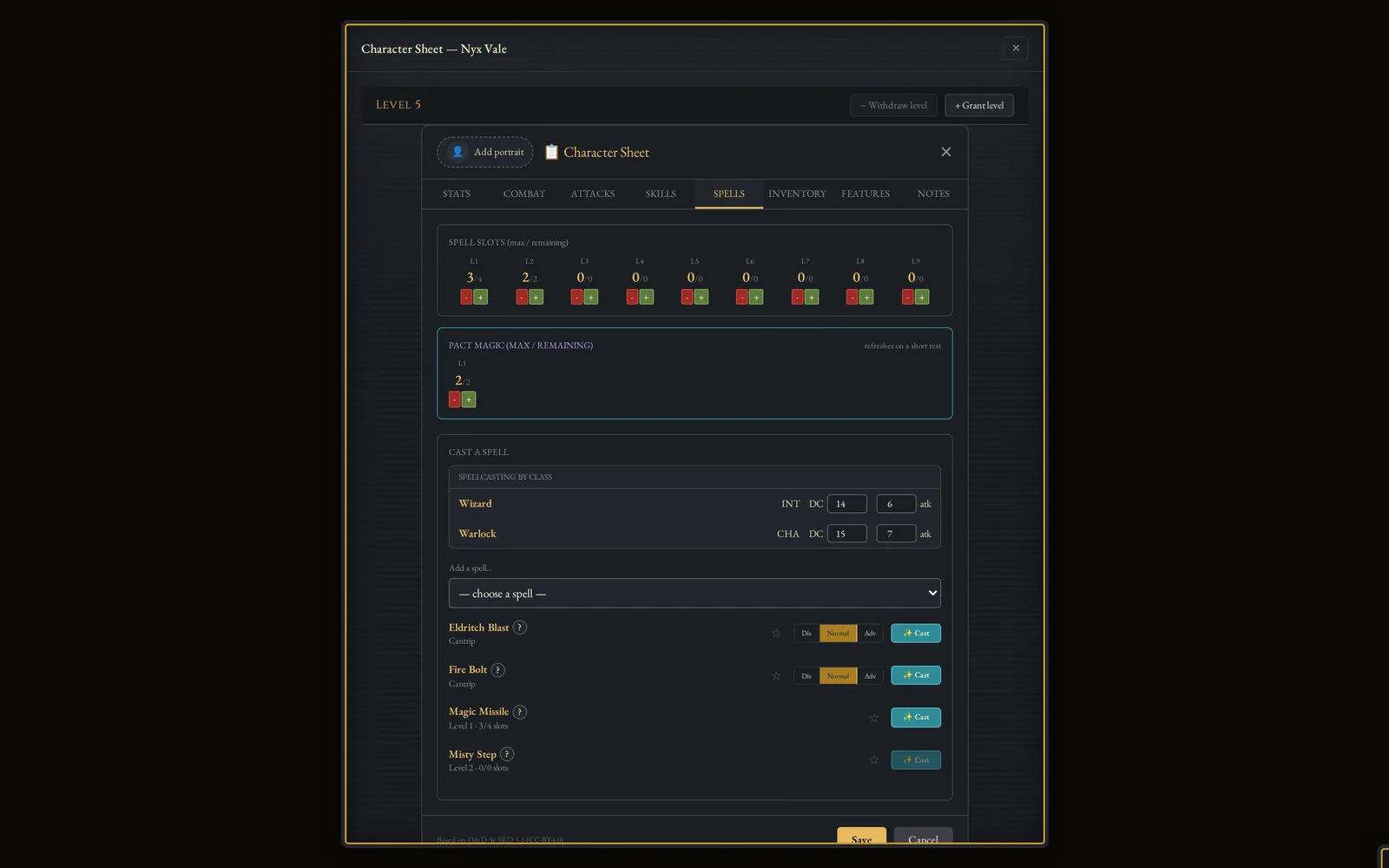
A multiclass character sheet with per-class spell slots

Playable sheets

Rolls come straight from the sheet. Spell slots, pact magic, hit dice and concentration track themselves.

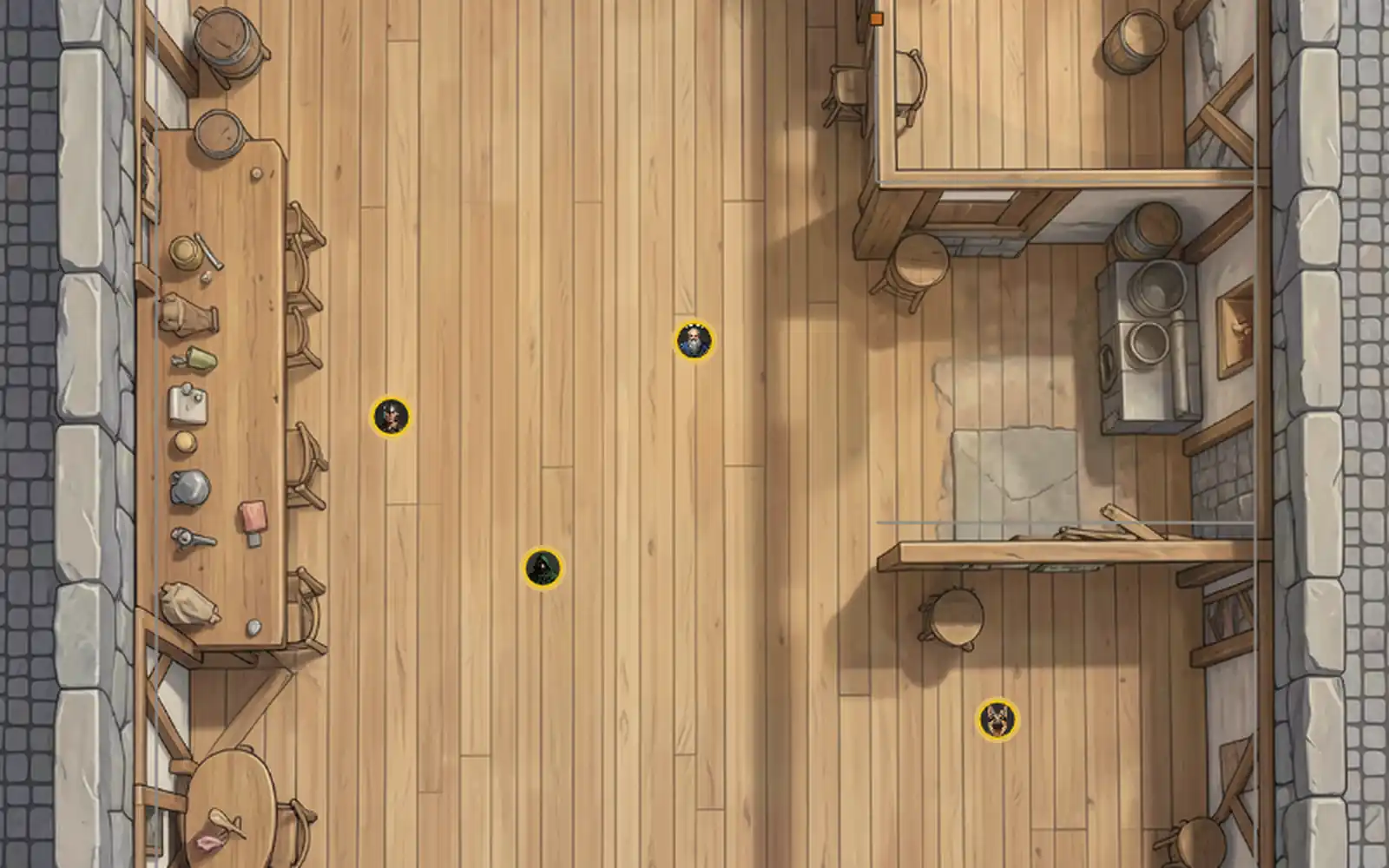
A tavern map in Castle VTT with player tokens on the floor

Player tools

Players place their own AoE templates, the ruler counts difficult terrain, and reaction prompts pop up when they trigger.

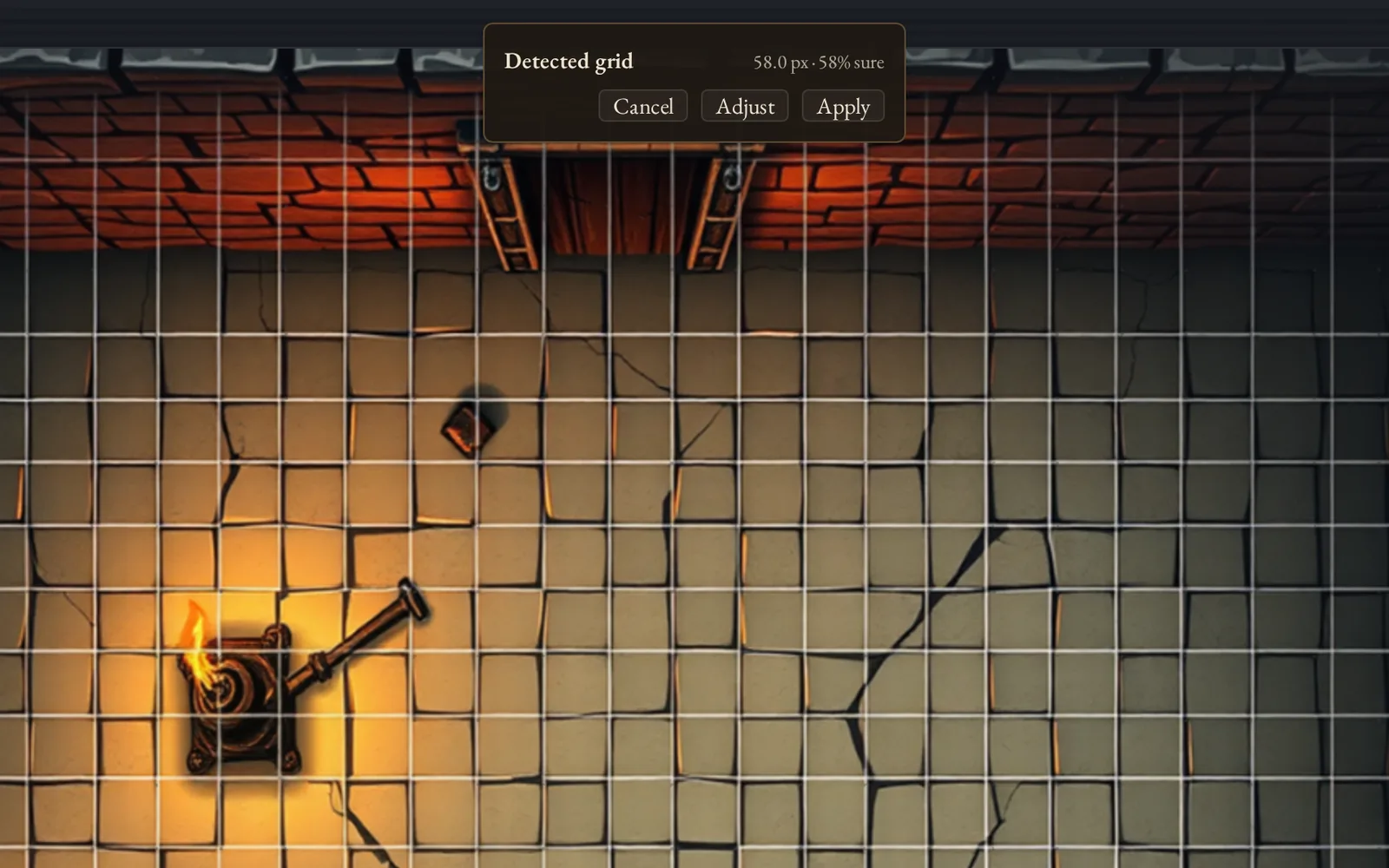
Automatic grid detection dialog on an uploaded map

Bring your world

Import from Foundry, Roll20 and Universal VTT files with a review step. Grids are detected when you upload a map.

Optional AI helpers can run fully on your own machine (for example rules Q&A through Ollama), or stay switched off. An optional AI game master, on request, is coming.

The alpha

The deal, in plain words.

  • It’s open. Any GM can apply. Confirm your email and your key arrives in your inbox.
  • It’s free. Nothing for alpha key holders: your key comes with lifetime access, and you’ll never be charged.
  • Launch price later. After the alpha, new customers pay the launch price.
  • Early access to updates for alpha testers is planned, not promised.
Apply for your free alpha key

What to expect

What works: lighting, rules math and voice, in real weekly games. We run our own tables on it.

What’s rough: it’s an alpha, so you’ll hit bugs, sometimes mid-session. Fixes arrive as signed updates that the app installs itself.

What we ask: run real sessions and tell us what broke, what dragged and what delighted.

Get your key

Get your alpha key.

Two required fields. Confirm your email and your alpha key is on its way.

No spam, no list. We only email you about your alpha key.

Tell us more about your table optional

Questions

Fair questions.

Something else? Email [email protected].

What does it cost?

Nothing for alpha key holders: your key comes with lifetime access, and you’ll never be charged. After the alpha, new customers pay the launch price.

Is the alpha really open?

Yes. Any GM can apply with the form above. Confirm your email and your key arrives in your inbox.

Do my players have to pay or make accounts?

No, and they never pay. Only the GM runs the desktop app. Players open an invite link in any browser and set up a login on your server. There’s no account with us, no seat limit and no per-player cost.

Do I need to port-forward or rent a server?

No. Click “Go online” and you get a shareable link. The app handles the tunnel for you.

What platforms does it run on?

Windows, macOS (Apple Silicon) and Linux, and one key covers all three. The macOS build isn’t notarized yet, so the first time you launch it, right-click the app and choose Open.

Where does my data live?

On your machine. Maps, tokens, journals and campaigns are files you can back up yourself.

Which game systems are supported?

Pathfinder 2e (Remaster), D&D 5e, Old-School Essentials, and a generic mode for everything else.

Will alpha testers get updates early?

It’s planned, not promised. Every build already updates itself.